
Once your strategy or trading method becomes profitable in forward testing, two questions remain: first, can you hold up under strict prop-firm rules (daily loss limits, maximum drawdown and minimum trading days)? Second, how do you prove your profitability to others without relying on screenshots that anyone can fake? The Challenges and Competitions tabs and the SHA-256 verified public page are built for those two goals.
Example: before buying a $100,000 prop-firm challenge, you start a challenge in the Challenges tab with a 10% profit target, 5% daily loss limit and 10% maximum drawdown, and once you pass it, you share the account's public page link so any visitor can click Check the log to verify the SHA-256 chain of every trade.
Practice prop-firm challenges in the Challenges tab
On the Virtual Accounts page, open the Challenges tab to view ready-made challenge templates:
Start challenge: click Start challenge on a challenge card to create a dedicated challenge virtual account with locked evaluation rules.
Automatic evaluation rules: the account tracks four metrics in real time: profit target, daily loss limit, maximum drawdown and minimum trading days.
Start new attempt: if a loss limit is breached and the challenge fails, click Start new attempt to begin a fresh attempt from the start and carry your connected strategies over to the new challenge account.
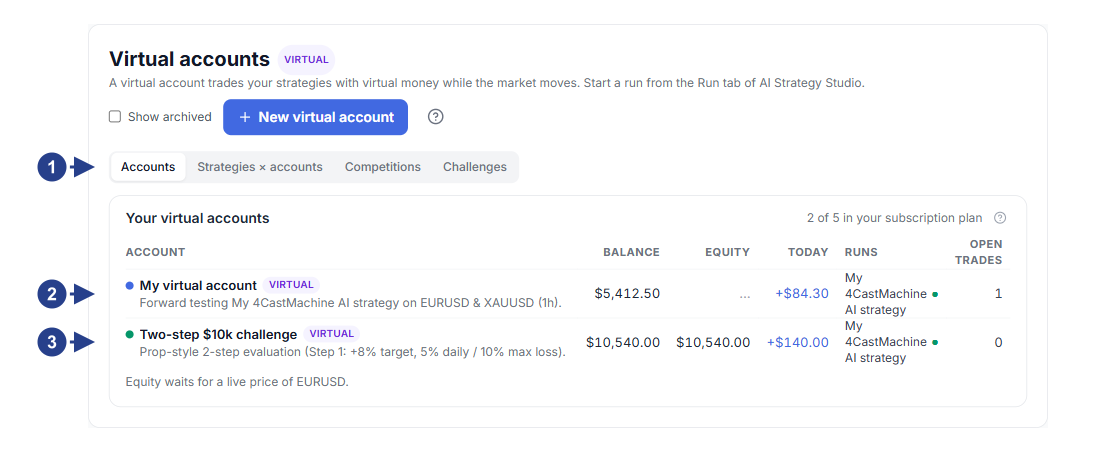
Tabs for the four sections: Accounts, Strategies × accounts, Competitions and Challenges.
The + New virtual account button in the top right.
Virtual account cards and their progress status.
Prop-firm challenge quick-start card for practicing under real evaluation rules.
Join trading competitions in the Competitions tab
In the Competitions tab, you can enter time-boxed competitions against other traders:
Click Join competition on an active competition card.
A dedicated virtual account is created for you with the same starting balance, leverage and rules as every other participant, and you can track your rank and percentage return on the leaderboard.
SHA-256 verified public page and Check the log
In the Settings window of any virtual account, turn on Public page to give your account a dedicated public share link:
Cryptographic verification with Check the log: every action on a virtual account (opening a trade, moving a stop loss, closing a trade or changing settings) is hashed with the previous entry in a SHA-256 chain. Clicking Check the log (either in account settings or on the public page) recalculates and verifies the entire chain from the first entry to the last, proving that no losing trade was deleted or altered.
Strategy privacy and dollar-amount control: the verified public page shows your percentage return curve, trade count, drawdown and hash-chain verification status, while your strategy rules, formulas and private notes are never exposed; in settings, you can also hide dollar amounts so visitors only see percentages.
Quick sharing and Telegram connection: click Copy text to copy a ready-to-share track-record summary and verified link, click Share to Community to post your percentage return card to the trading community, or connect account notifications to your Telegram.
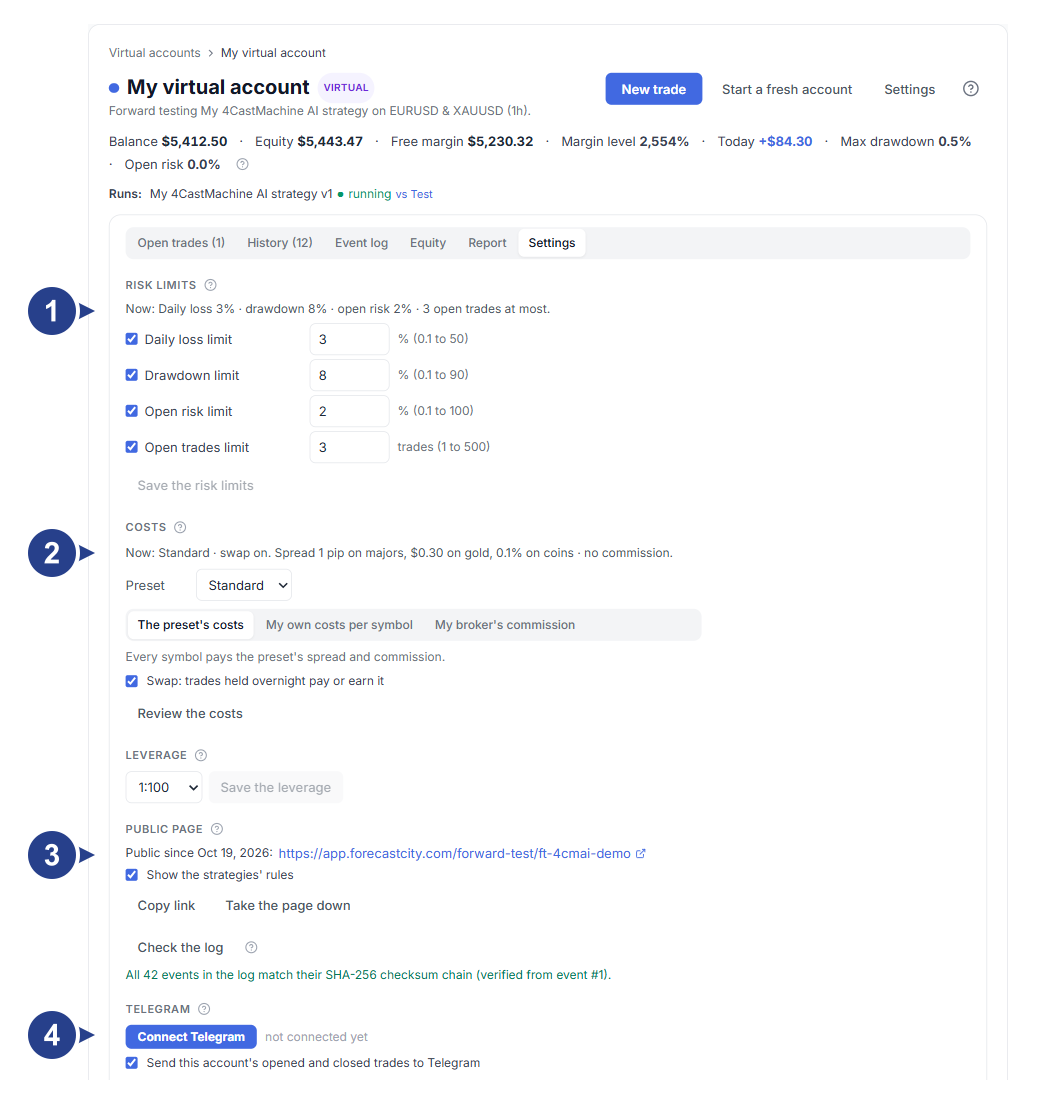
General settings, cost profile and account risk limits.
The Public page and hash-chain verification section: share link and SHA-256 chain check with the Check the log button.
Copy text, Share to Community and Telegram connection options.
The Danger zone section for resetting, archiving or deleting the account.