
Managing open trades no longer requires staring at the chart all day. In AI Strategy Studio, the AI follows your open trades moment by moment so you never miss a step of your strategy. When your MetaTrader account is connected with the ForecastFollow EA, the Run tab (under Real account, in the Open trades sub-tab) shows which steps of your strategy are already done, which step is due right now and which steps are waiting for price. It also turns on automatic target and stop alerts and draws the exact new stop level on the chart when a break-even or trailing stop move (including 4CastMachine AI pivots) is due.
Example: you open a 0.50 lots buy trade on EURUSD in MetaTrader and link it to your strategy. Automatic alerts turn on for your stop and first target, and once price hits the first target, the purple Strategy: move the stop here line appears on the chart.
Link an open trade to your strategy
Open your strategy in AI Strategy Studio, go to the Run tab (under Real account) and open the Open trades sub-tab.
Under Open trades on no strategy, click Link next to the trade to attach it to your strategy.
Click the open trade card to draw its lines on the chart and read the status of each step: ✅ marks a completed step, ⏳ marks a management action that is due right now, and ◻️ marks targets or steps that are waiting for price.
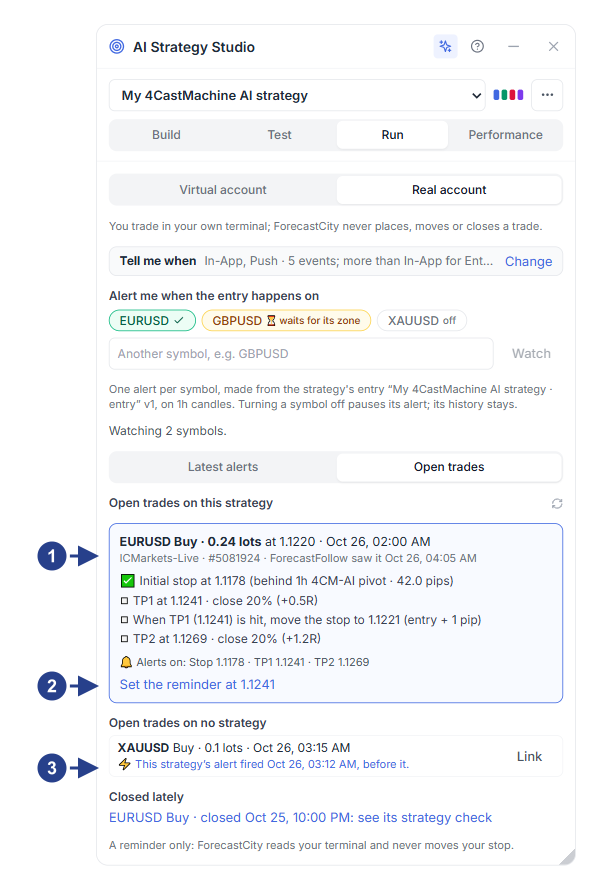
Open trade card linked to the strategy showing each step's status and active Tell me when alerts.
Button for setting a one-time reminder (Set the reminder at …) at the next management step.
Unlinked open trades (with the Link button) and the Closed lately list.
Set break-even and trailing stop reminders
At the bottom of the trade card, click Set the reminder at … to place a one-time price alert right at the trigger level of the next step in your Management setup (such as break-even or trailing a 4CM-AI pivot). Whenever price reaches that level, the purple Strategy: move the stop here line is drawn on the chart so you can move your stop loss to the new level.
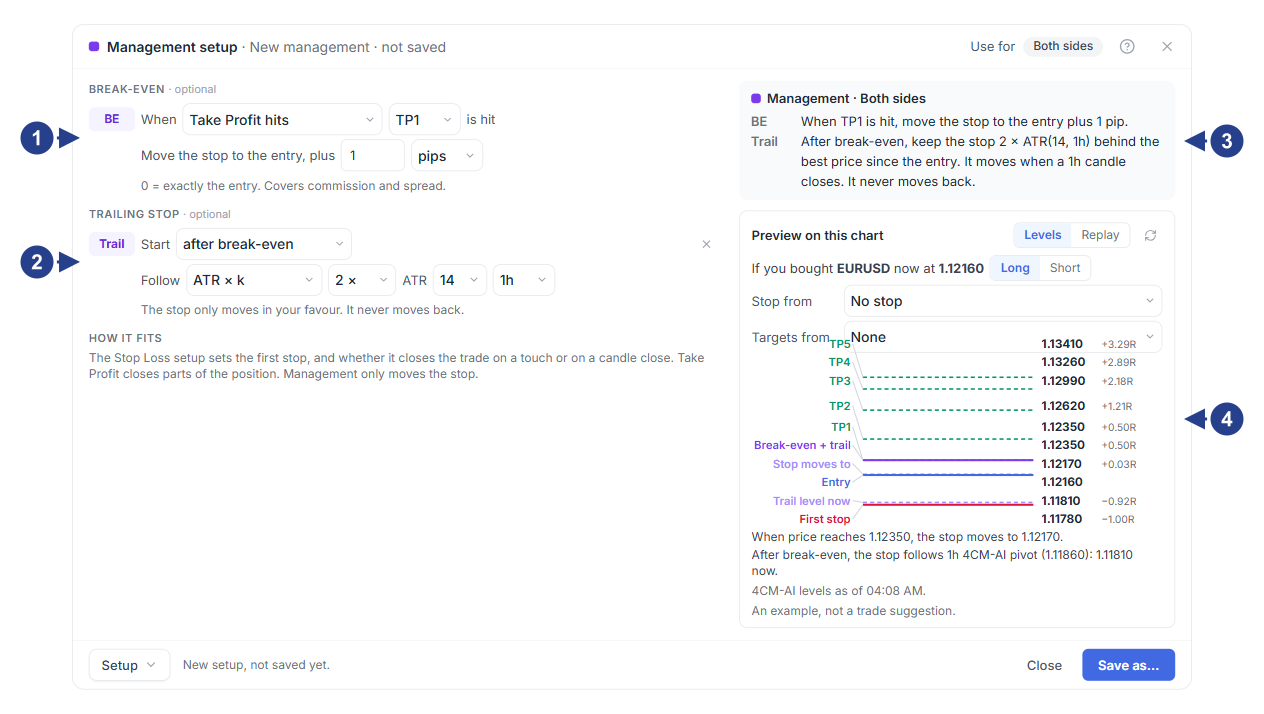
Break-even rule: trigger condition and the
+1 pipoffset from entry.Trailing stop rule: start after break-even and trail behind a 4CM-AI pivot.
Plain-language summary card of the break-even and trailing stop rules.
Preview on this chart card with the Levels table and Replay tabs.