
Each virtual account in AI Trading Journal is a separate trading environment with its own starting balance, leverage, broker cost profile and risk limits. You can create one account for daily manual trading, a second account for forward-testing scalp strategies with Raw-ECN spreads, and a third account for practicing prop-firm rules so their results never get mixed together.
Example: you create two $10,000 virtual accounts (one with the Standard cost profile and one with Raw-ECN) and run the same strategy on both so you can see in the Strategies × accounts table how much the spread and commission difference changes net profit.
Create a new virtual account
On the Virtual Accounts page, click + New virtual account in the top right.
Enter a clear name for the account (for example,
EURUSD Scalp - Raw ECNorManual Swing Practice).Set the starting balance, account currency and leverage.
Choose a broker cost profile that matches your target real account: Standard (regular spread with no commission), Raw-ECN (tight spread plus per-lot commission), Zero-Spread or Crypto-Maker.
If needed, enter a Daily loss limit and a Max drawdown limit, then create the account.
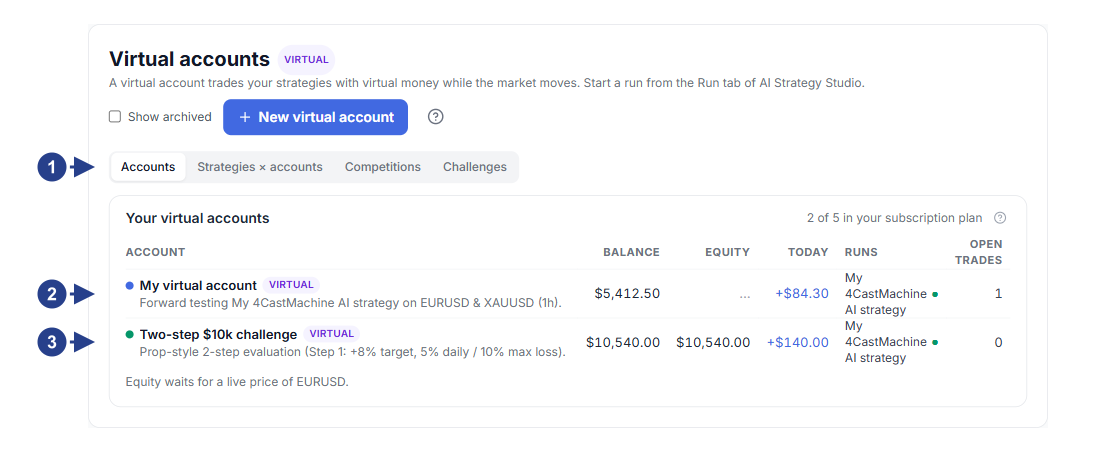
The Accounts tab for viewing all active, paused or challenge virtual accounts.
The + New virtual account button for creating a new virtual account.
Virtual account card showing balance, profit or loss, drawdown and connected strategies.
Quick entry to prop-firm challenges.
Compare accounts and strategies in the Strategies × accounts table
When you run several strategies across multiple virtual accounts, the Strategies × accounts tab gives you a side-by-side comparison table. Rows are your strategies and columns are your virtual accounts.
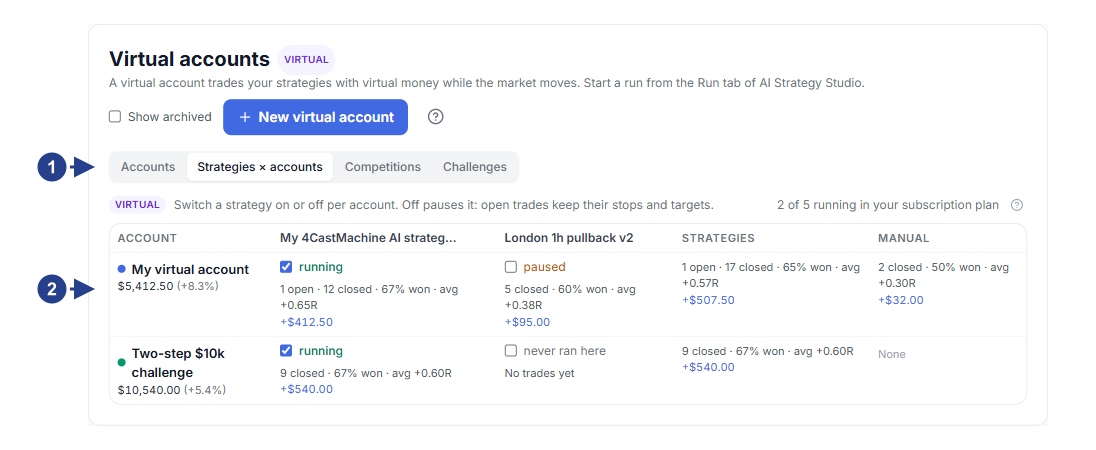
Selecting the Strategies × accounts tab at the top of the Virtual Accounts page.
Table columns, each showing one of your virtual accounts with its balance and cost profile.
Table cells showing net profit or loss, trade count and run status for each strategy-and-account pair.
Quick button for connecting a strategy to another account right from the table.
Protective risk limits, account reset and archive
On any virtual account page, click Settings to set or update the account's protective rules:
Risk limits: if the account's daily loss reaches Daily loss limit or total drawdown reaches Max drawdown, the account automatically blocks new trades so your trading discipline stays intact.
Pause on weekends: turning this on pauses strategy runs over the weekend so your account avoids Monday opening price gaps.
Reset account: if you want to start fresh from the initial balance, use the reset option under Danger zone in the Settings window; you can also archive or delete old accounts there.
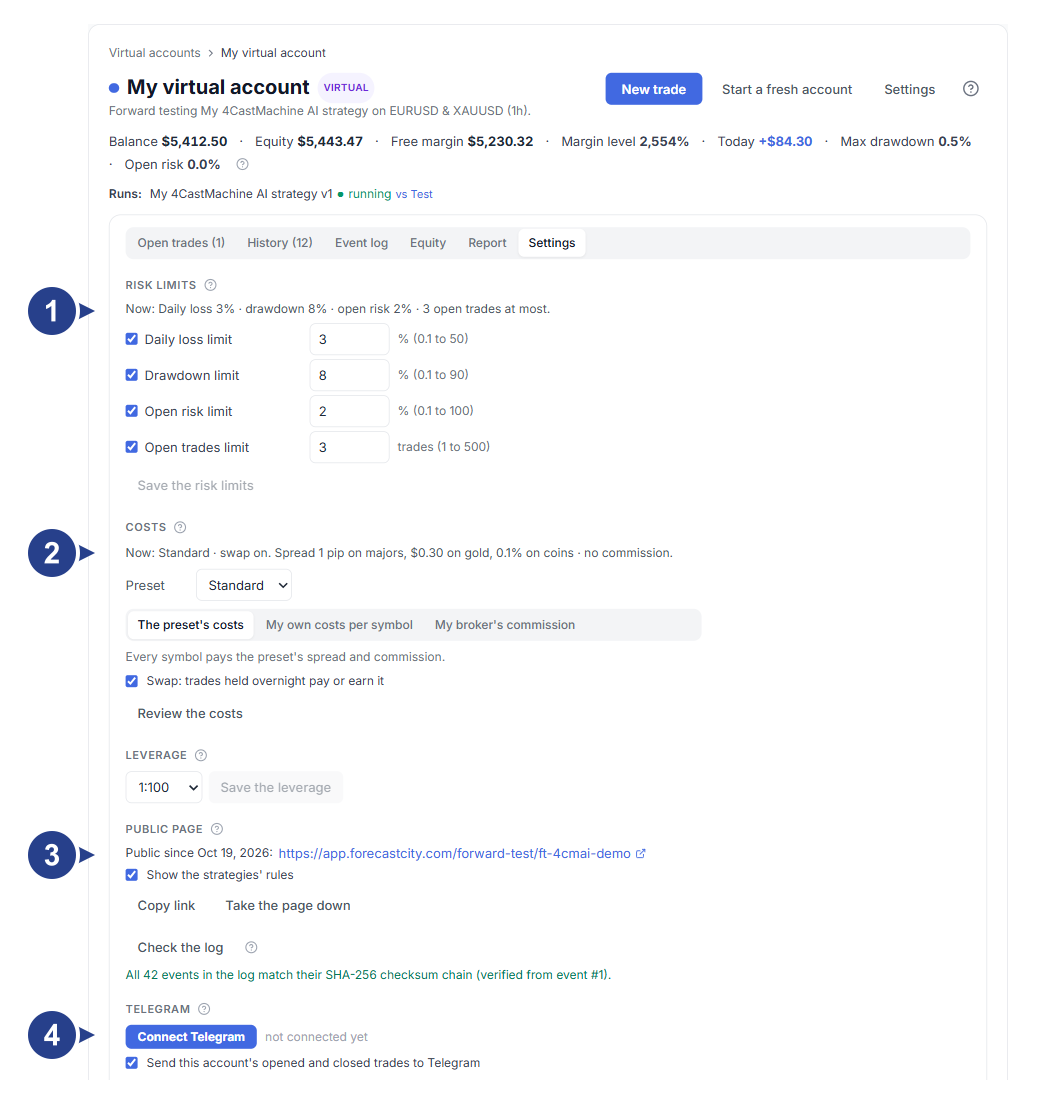
General account settings, cost profile and daily and total risk limits.
Public page settings and the Check the log button for verifying the SHA-256 cryptographic chain.
Options for sharing your track record and connecting Telegram notifications for the account.
The Danger zone section at the bottom for resetting, archiving or deleting the virtual account.