
In AI Strategy Studio, our AI makes setting price targets and scaling out of a trade simple and accurate: you can use the target levels calculated by 4CastMachine AI or ask the AI Trading Assistant to arrange your profit-taking steps by risk-to-reward ratio. In the Take Profit setup window, you can define a single target or split your trade across up to five step-by-step targets (TP1, TP2, TP3 to TP5).
Example: you build a three-step take profit setup that closes 50% of your position at 1R (or 4CM-AI TP1), 30% at 2R and the final 20% at 3R.
Choose a take profit method and multi-target exit
Click the green Take Profit part in the Build tab to open the take profit setup selection list (click ‹ The strategy anytime to return to the full strategy page). When you pick or build a take profit setup, the following target methods are available:
4CM-AI target: places your take profit targets directly on the forecast target levels of 4CastMachine AI (from
TP1toTP5).R multiple (R): sets each target as a multiple of your initial stop loss distance (such as
1.5R,2Ror3R).Distance / ATR: a fixed distance in pips, percentage of price, a multiple of current-timeframe
ATR(14)or a multiple of the daily average range ATR(264, D).Recent high / low: places the target at the recent market swing high or low.
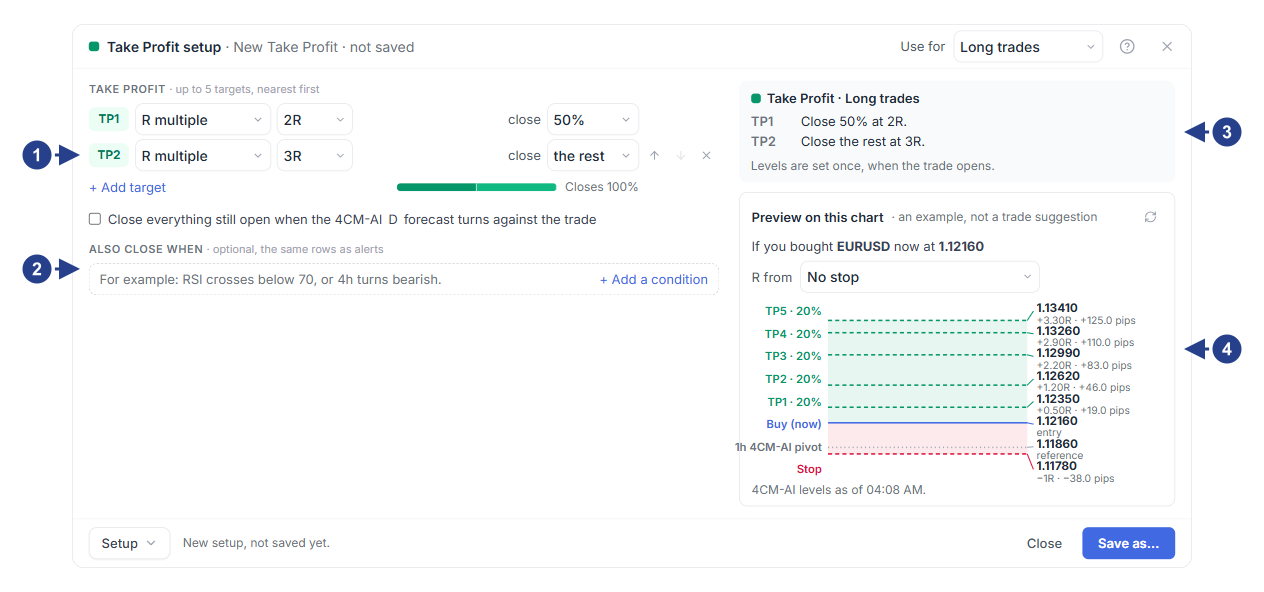
Take profit target rows (default 4CM-AI target), percentage closed at each step and the
100%total barOptional Also close when section for exiting in profit on a technical condition
Plain-language summary card of your take profit targets and step shares
The Preview on this chart box showing the price of each target and its
Rmultiple
Split your trade size across targets
In the first row (TP1), choose the target calculation method and the percentage of position size to close.
Click + Add target to add further steps until the percentages add up to
100%.Save the take profit setup and view the green
TP1,TP2andTP3lines on the chart in the Build tab. Move your mouse anytime to adjust the target lines directly on the chart.
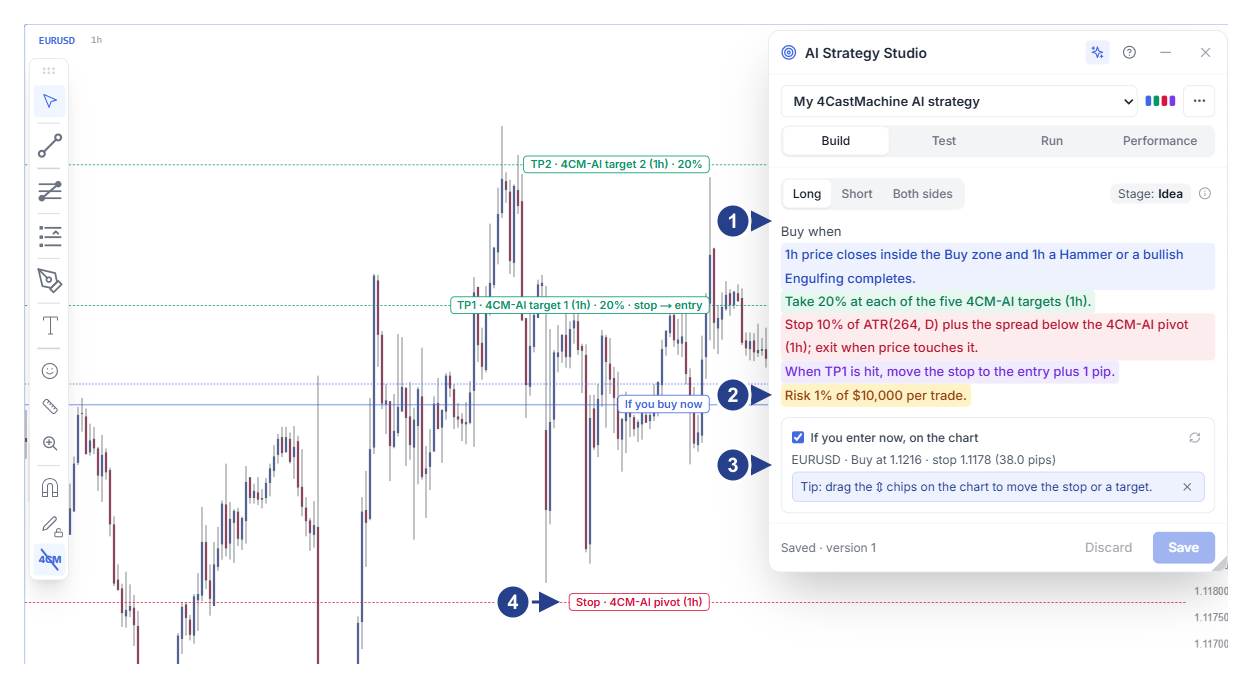
Trade side buttons, stage badge and the colored strategy sentence
Risk per trade row (Risk … per trade) for automatic lot-size calculation
The If you enter now, on the chart section with live entry, stop loss and target prices
Drag handles (⇕) on the chart lines to adjust levels with your mouse