Your whole setup in one alert
A trading idea is rarely one condition. It is a forecast zone, the direction behind it and the confirmation you trust. The new alert editor puts every kind of condition in one place, so a single alert can wait for your whole setup while you get on with your day.
Forecast and chart conditions together
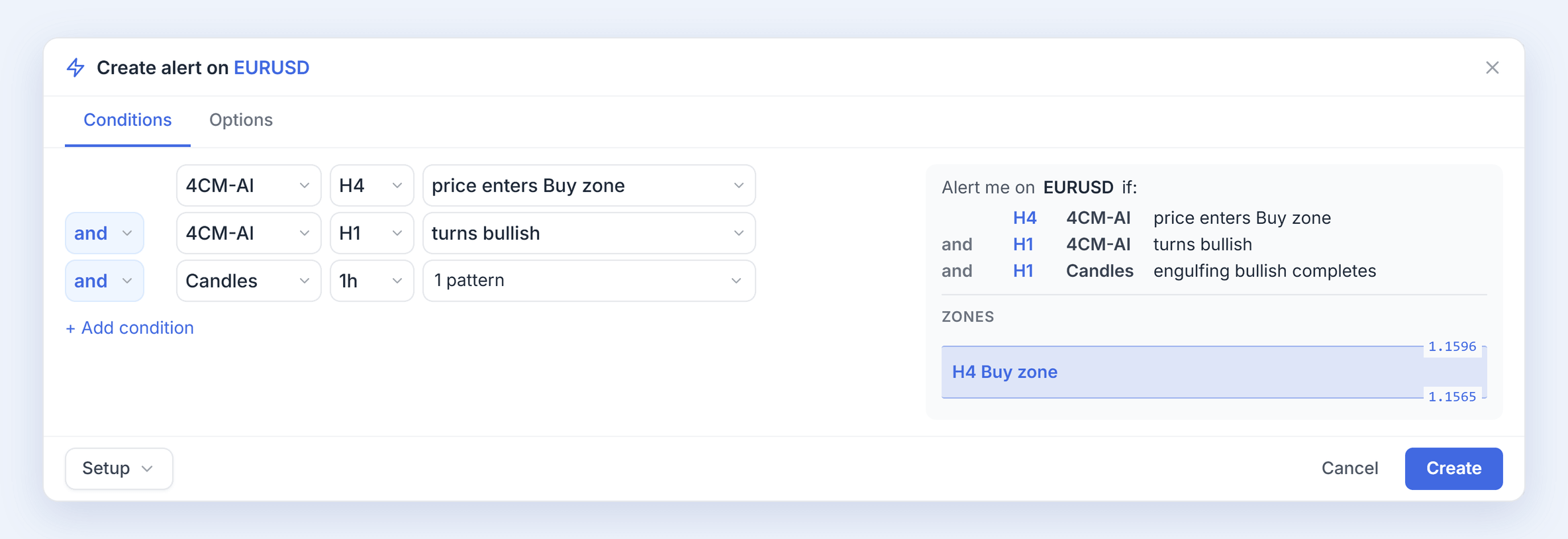
Build the alert row by row: a 4CastMachine AI forecast zone or direction, a price level, a line you drew, an indicator or a candlestick pattern. Every row works the same way, and you join rows with and or or. Instead of checking the forecast in one place and your chart in another, one alert tells you when everything you asked for lines up.
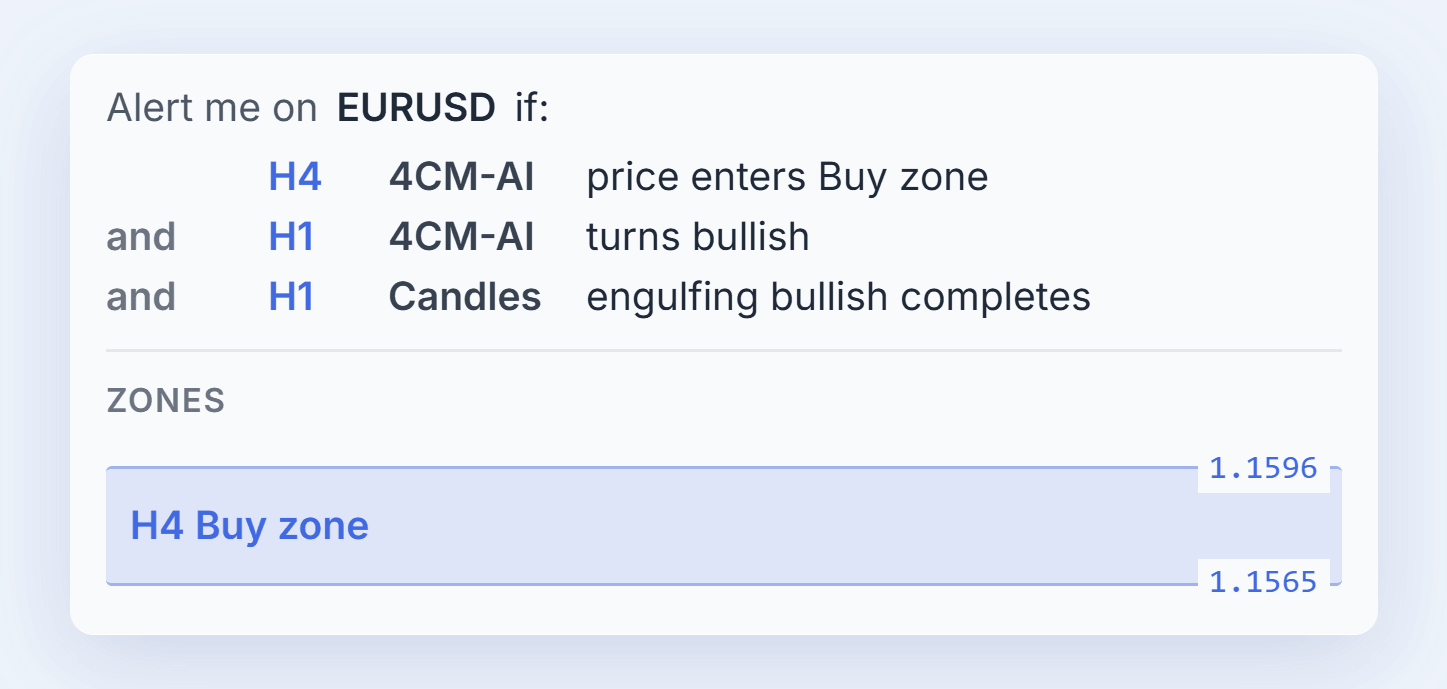
For example: EURUSD enters the H4 forecast Buy zone while the H1 forecast turns bullish, and a bullish engulfing candle on the hourly chart confirms it.
Read the rule before you rely on it
Beside the rows, the editor reads your alert back as plain sentences. When you mix and with or, it draws the parentheses that show which conditions are checked together, so a rule never quietly means something you did not intend. If a combination could never fire, the editor tells you why before you save it.
See the zone you are watching
Choose a forecast zone and the summary draws it, with its upper and lower prices taken straight from the 4CastMachine AI forecast. You can confirm the area at a glance instead of going back to the chart to find it.
Set it up once
Save a set of conditions as a Setup and reuse it later, without creating an alert until you want one. Save your usual trigger, expiration and notification choices as your defaults, and every new alert starts from them.
Keep your chart in view
The editor floats over your chart without locking it. Drag it aside and keep reading candles or adjusting your lines while you build the alert; it opens where you last left it.
Included with every membership
4CM-AI forecast conditions are included with every active membership, the trial as well, for symbols that have a 4CastMachine AI forecast in the markets your plan includes. A forecast describes a possible path, not a certainty: an alert tells you when to look, and the decision stays yours.
Get started
Take the Quick tour to build your first combined alert in a few minutes, or see how to combine conditions and watch a forecast zone. Every guide is on the Alerts guide page.